ERP
ERP for Small Manufacturers: Odoo vs Spreadsheets vs Legacy Systems for Job Shops
 Kalk Solutions Editorial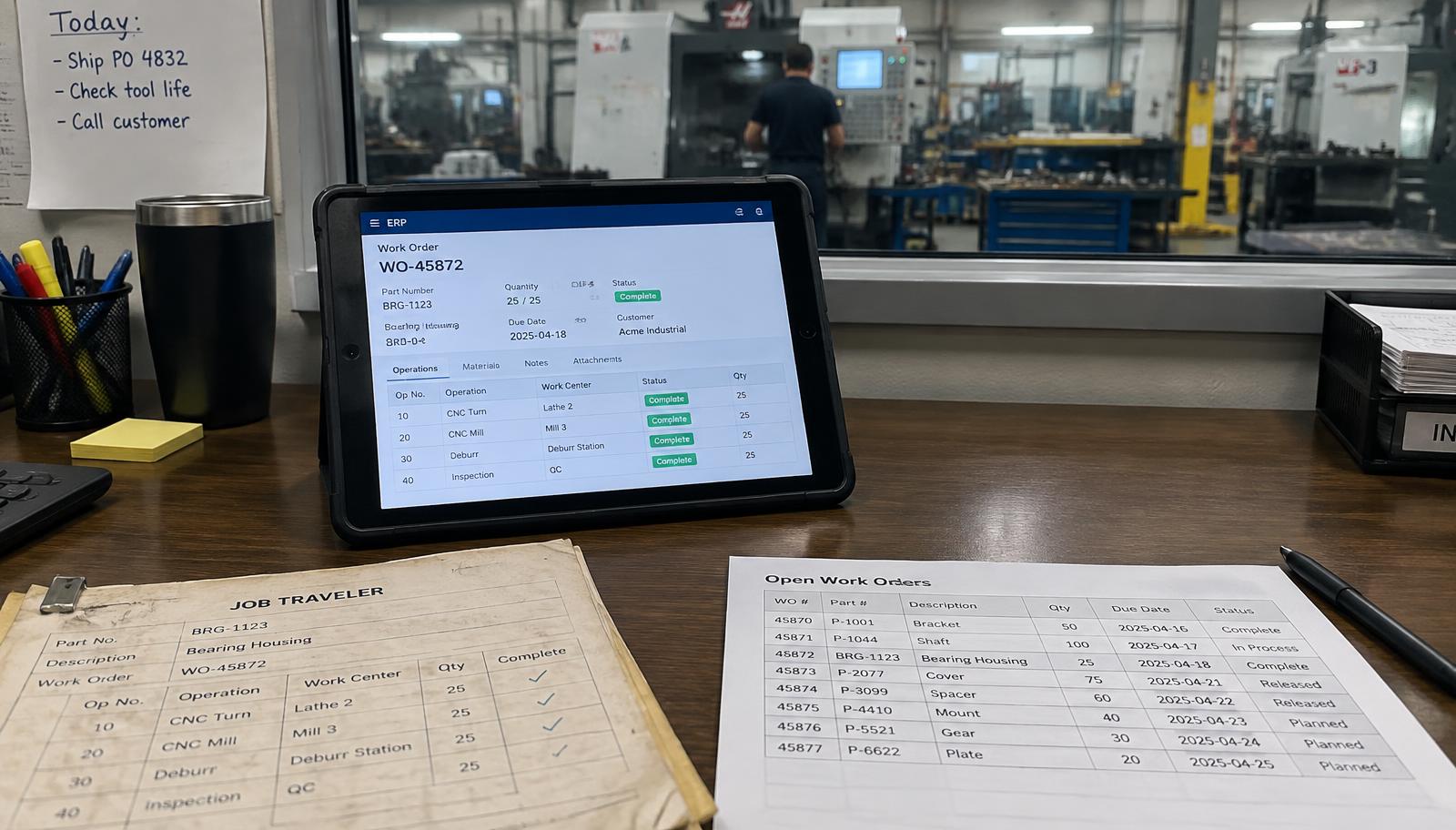
TL;DR
Spreadsheets are cheap but break once you have several people, many jobs and a need for job costing. Legacy job shop systems are proven but often expensive to customize, dated and hard to connect. Odoo is a modern, modular ERP that covers CRM, quoting, manufacturing, inventory, purchasing, quality and accounting in one system, with lower licence cost but a real implementation effort. For most US job shops between $5M and $50M, the decision depends on complexity, compliance needs and appetite for change.
Quick answers
- What is the best ERP for a small manufacturer?
- There is no single best. Spreadsheets fit very small, simple shops. Established job shop ERPs fit shops that need deep, specialized features out of the box. Odoo fits shops that want one modern system for sales, production, inventory and accounting and are willing to implement it properly.
- Is Odoo good for job shops?
- Odoo's Manufacturing, Inventory, Quality, Purchase, CRM and Accounting apps cover most job shop needs. High-mix, quote-to-order workflows usually need careful configuration and sometimes customization, so implementation quality matters.
- When should a job shop stop using spreadsheets?
- When you cannot reliably answer job cost, on-time delivery and margin by customer, when several people edit the same files, or when you are preparing to sell or scale.
Every growing job shop hits the same wall: the spreadsheets, whiteboards and old software that worked at $3M start failing at $10M. Quotes live in one place, travelers in another, inventory in someone's head. The question is not whether to change, but what to change to.
Disclosure: Kalk Solutions is an Odoo Silver Partner. We have tried to keep this comparison fair.
The short answer
Atomic answer: spreadsheets suit very small, simple shops; legacy job shop ERPs suit shops needing deep specialized features immediately; Odoo suits shops wanting one modern, connected system and willing to invest in a proper implementation.
Side-by-side comparison
| Factor | Spreadsheets | Legacy job shop ERP | Odoo |
|---|---|---|---|
| Upfront cost | Very low | High licence and setup | Lower licence, implementation needed |
| Job costing | Manual, error-prone | Strong | Good with correct setup |
| Quoting to job | Copy and paste | Usually built in | CRM to quote to manufacturing order |
| Scheduling | Whiteboard | Varies | Work centers and planning |
| Inventory and purchasing | Manual | Built in | Built in |
| Accounting | Separate | Often separate or add-on | Built in, or integrate |
| Quality | Paper | Varies | Quality app available |
| User experience | Familiar | Often dated | Modern, web and mobile |
| Customization | Anything, fragile | Costly | Flexible, needs discipline |
| Best for | Under ~$3M, simple | Complex shops wanting proven niche tools | Shops wanting one connected platform |
When spreadsheets are fine, and when they are not
Fine: a few people, simple jobs, owner knows everything.
Not fine: you cannot answer "what did this job actually cost?", files conflict, or you are preparing to scale or sell. Buyers distrust spreadsheet numbers. See what private equity buyers look at beyond EBITDA.
When a legacy job shop ERP makes sense
If you need very specific estimating or shop floor features immediately and have a team that already knows the system, a proven niche ERP can be the right call. Watch for licence and upgrade costs, and how easily it connects to your website and CRM.
When Odoo makes sense
- You want sales, quoting, production, inventory, purchasing, quality and accounting in one place
- You want CRM connected to production so your sales pipeline links to real jobs
- You plan to grow, add sites or prepare for a sale
- You can commit staff time to implementation
Learn more on our Odoo ERP page, our guide to Odoo ERP implementation for US manufacturers, and Odoo vs QuickBooks for manufacturing.
Integrations to plan for
Many shops keep some existing tools. Check what connects before you commit: accounting, CAD/CAM and nesting, PLM. Browse our Odoo integrations hub.
Decision checklist
- List the five reports you need and cannot get today.
- Map your quote-to-cash process.
- Decide what must integrate.
- Estimate internal time for implementation.
- Run a demo with your own real jobs, not sample data.
Next step
Estimate the payback of moving off spreadsheets with our ERP ROI calculator, or book a free ERP readiness audit.
Related: Selling your manufacturing business in 3 to 5 years? The systems to fix first.
60-second live scan
See where your buyers are searching - right now.
Run your buyer-intent keywords through live Google. Get a competitor map and ranking gaps in 60 seconds. Free, no pitch.
Run my free Buyer Reach AuditPrefer a working session?
Book a 30-min call with our team.
No pitch. Walk away with a written action plan - whether you hire us or not.
Book a strategy callFor US manufacturers
Tired of ThomasNet junk leads?
Run a free 60-second audit of where your buyers are searching in the US. Get a real diagnosis — no pitch.
Questions about this topic
How long does an Odoo implementation take for a job shop?
A focused rollout of core apps commonly takes 8 to 16 weeks; larger scopes with integrations take longer. Scope drives timeline.
Can Odoo connect to QuickBooks or CAD/CAM tools?
Odoo has its own accounting, but it can be integrated with other systems through its external API. See our Odoo integrations hub for verified options.
Is Kalk an Odoo partner?
Yes. Kalk Solutions is an Odoo Silver Partner focused on manufacturing.
Related field guides